
Employer Access
This long-awaited update allows employers to be able to access the Talent Catalog directly. For example, Iress, Atlassian or any other employer can now request a login to the Talent Catalog, where they can create and submit their own jobs, do their own searches for candidates, and manage their own recruitment process.
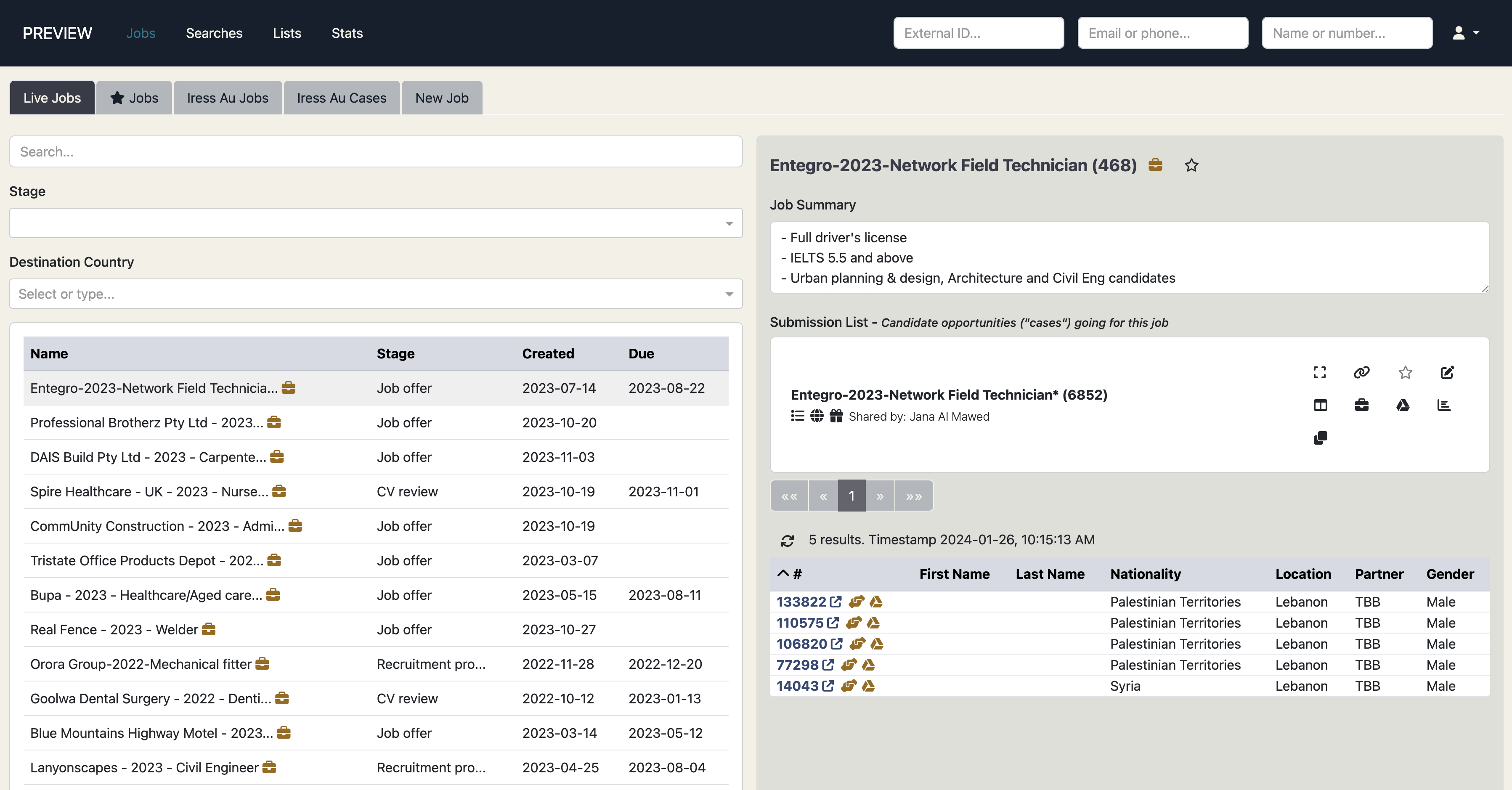
This update allows employers to create jobs without requiring access to Salesforce. Employers may also communicate directly regarding the job using the new Talent Catalog Job Chats feature.
Check out John’s video demo for a quick introduction to Employer Access.
Job Creation
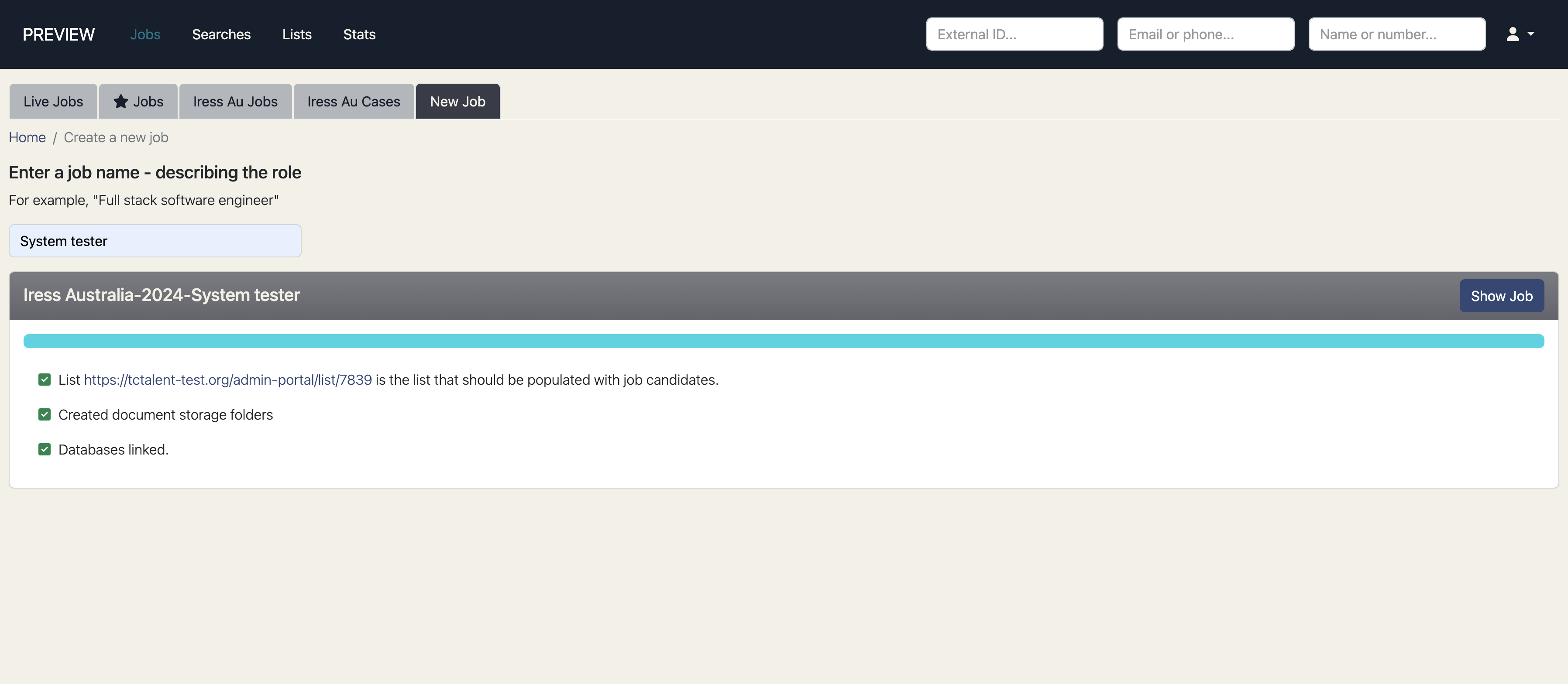
In this update employers can create jobs directly from the Talent Catalog. There is no need to manually create the job opportunity in Salesforce. The process is automated so the employer need only enter the name of the job, for example “System tester”, and simply press enter. In the background, the job opportunity is automatically created in Salesforce with the standard opportunity name, together with submission lists, document storage folders, and other administrative tasks.
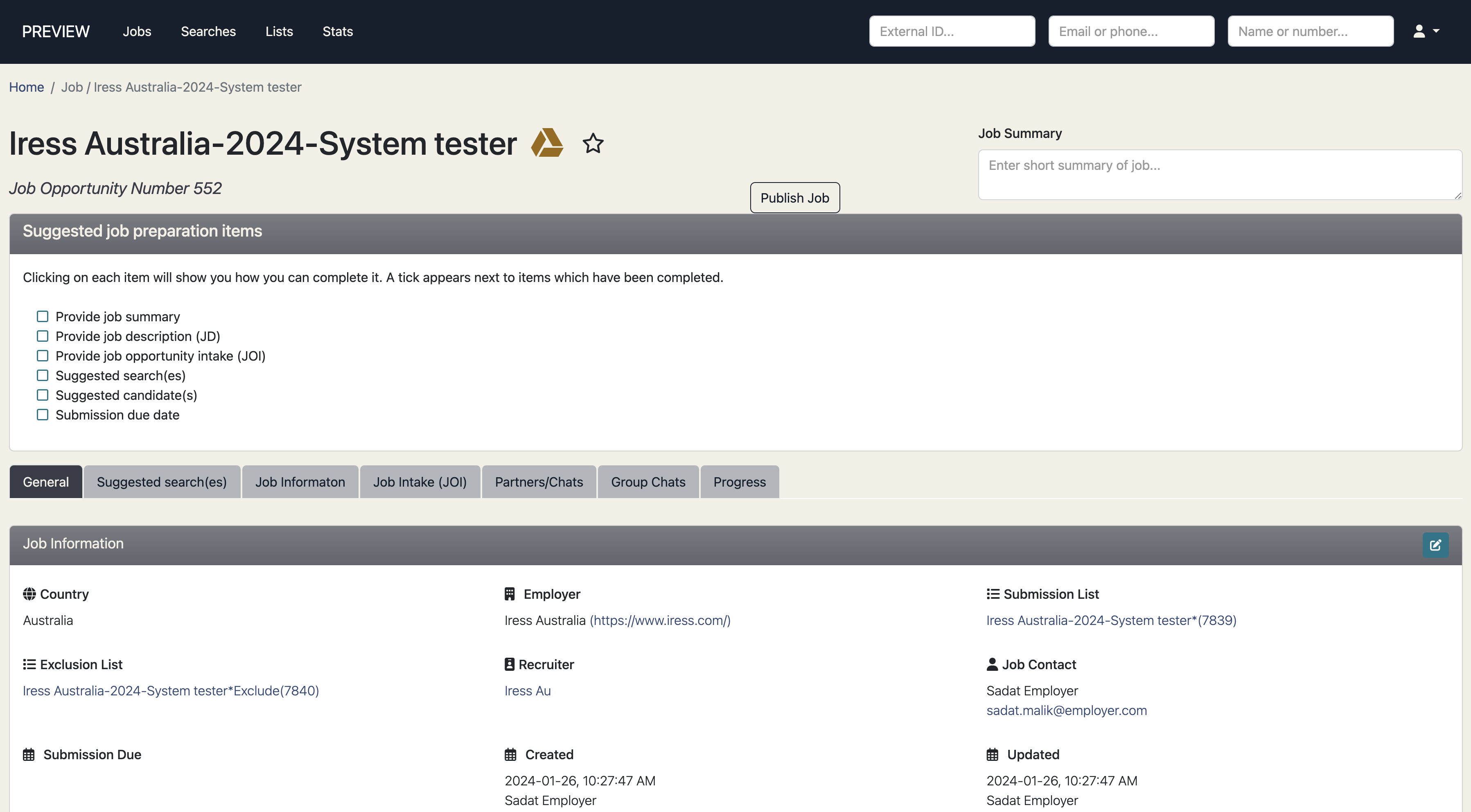
Once the job is created, the employer sees the job in the Talent Catalog in the same way as any other admin user would see.
New Employer Partners
When a new employer has been approved for Talent Catalog access, System Admins can create the employer as a TC partner by navigating to Settings | Partners | Add and filling out the Add New Partner details:
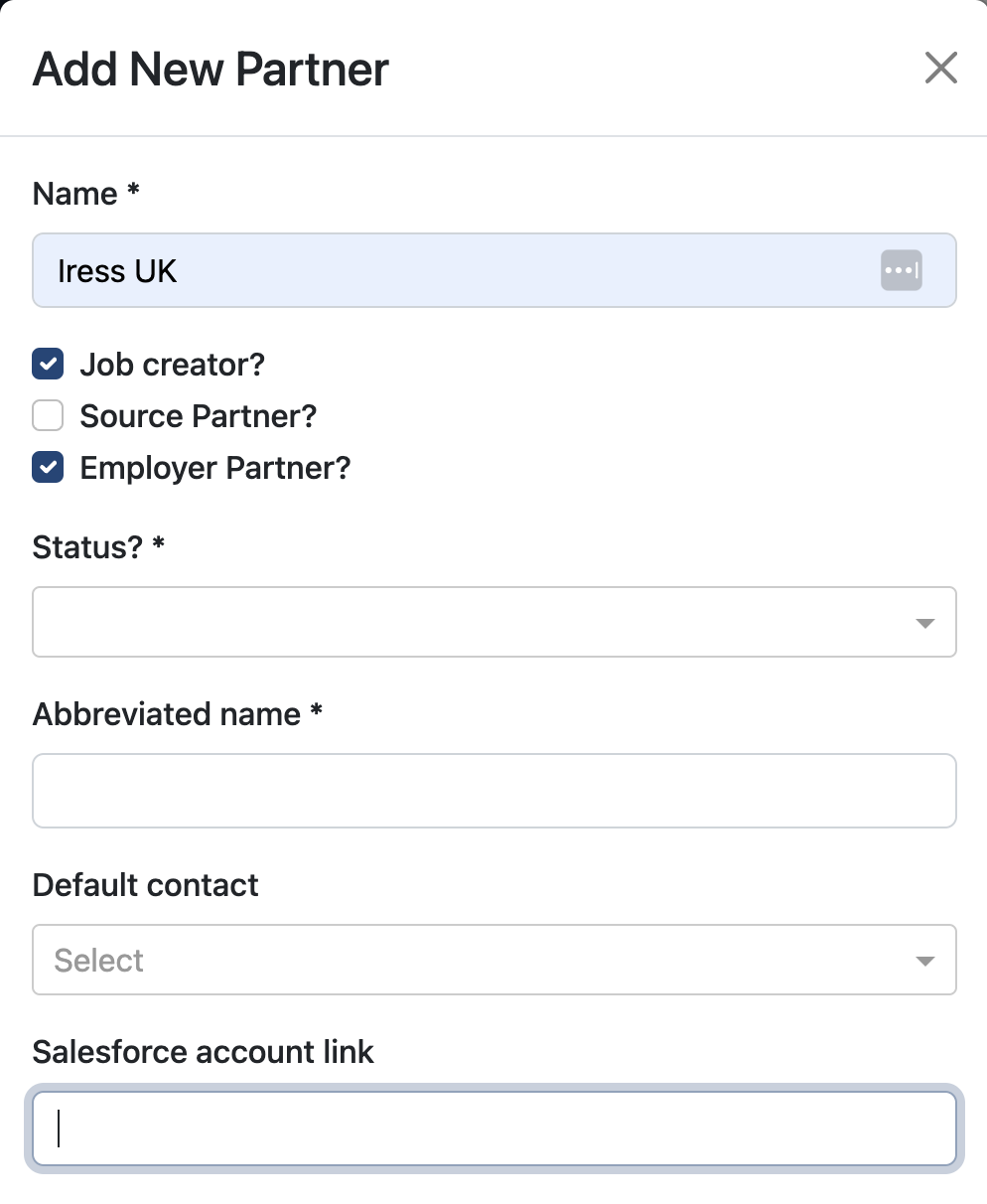
Admins should remember to select Job Creator and Employer Partner, adding the employer’s salesforce account link. Once the Employer Partner is created, new users can be created and assigned to the new Partner in the usual way.