
Translatable cv
Admins can now choose the format when generating a candidate CV from the candidate profile.
Choose the right format for the task
Generated CVs can be downloaded as a PDF or Word document, or created as a Google Doc.
PDF is useful when the CV is ready to share. Word (.docx) is useful when teams need a downloadable editable file. Google Doc export is useful when teams want to edit or translate the CV in Google Docs.
Easier editing and translation
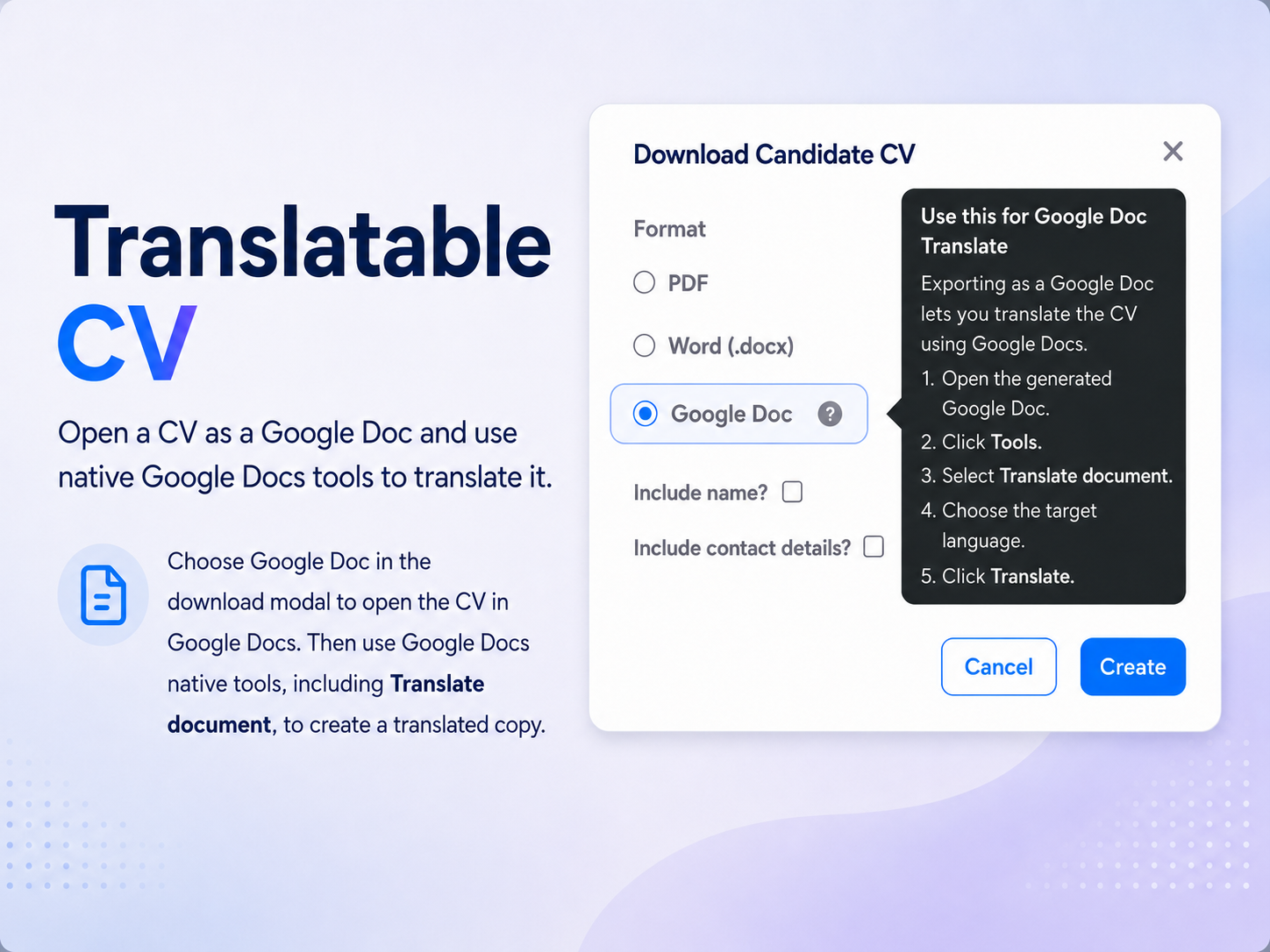
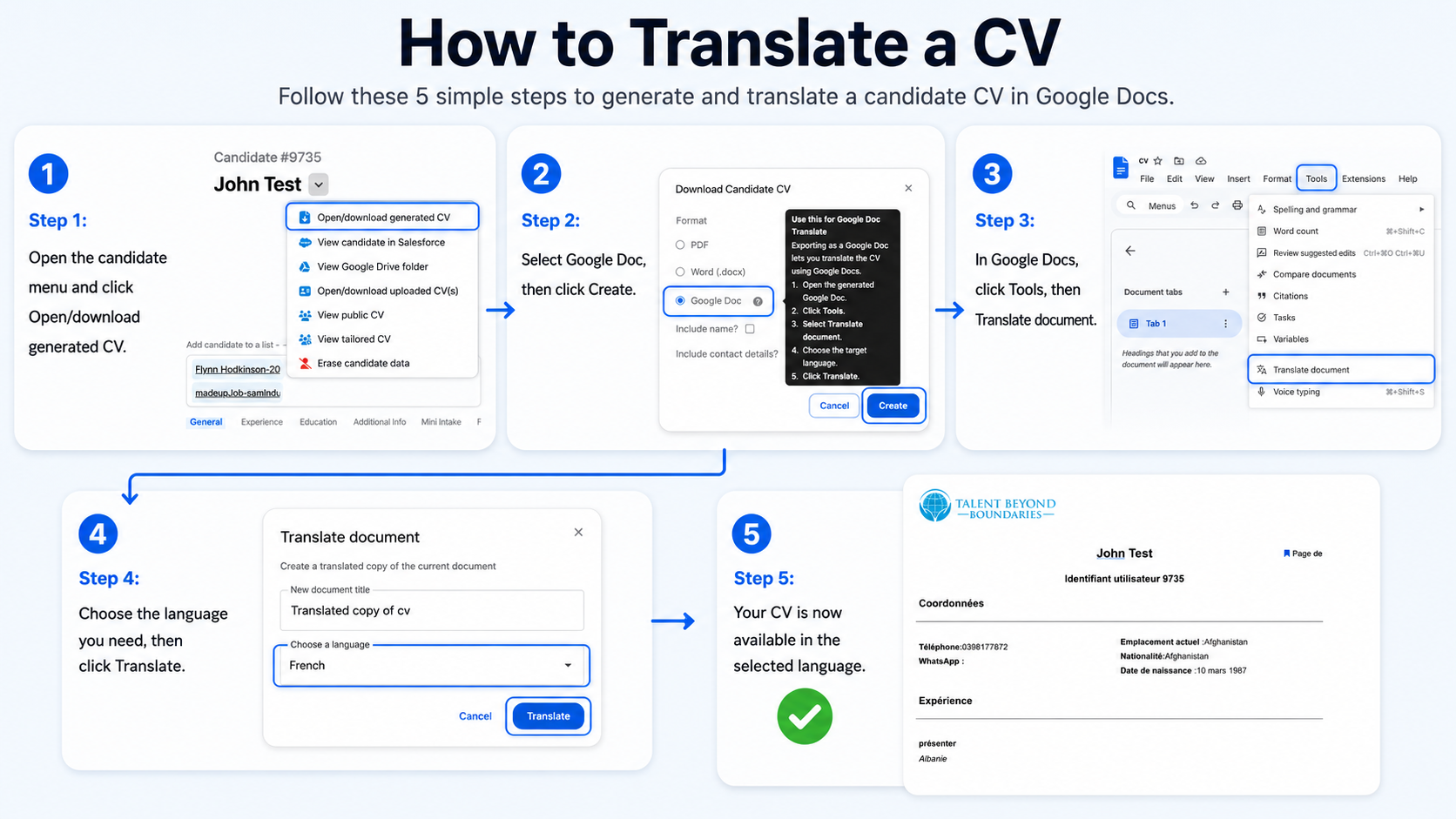
The Google Doc option opens the generated CV in Google Docs, where users can use built-in Google Docs tools such as Translate document.
This supports teams who need to prepare candidate CVs in another language while keeping the generated CV workflow inside Talent Catalog.
Candidate details still controlled
The existing include-name and include-contact-details options remain available when generating a CV.
This means teams can still choose whether the generated CV should include identifying or contact information, while also choosing the export format that best fits the next step.