
Match Explanations: Why Was This Candidate Matched?
v2.6.0 brought AI matching online, ranking candidates by how closely their experience fits a job description. It also promised that users would be able to see why a candidate was matched, not just that they were.
This release delivers that. For any candidate in a matching search or a job’s submission list, Talent Catalog can now generate a plain-English explanation of how well the candidate’s experience fits the job — written by a large language model (LLM).
New to AI matching? A short video series introduces how it works.
📝 Start From the Requirements
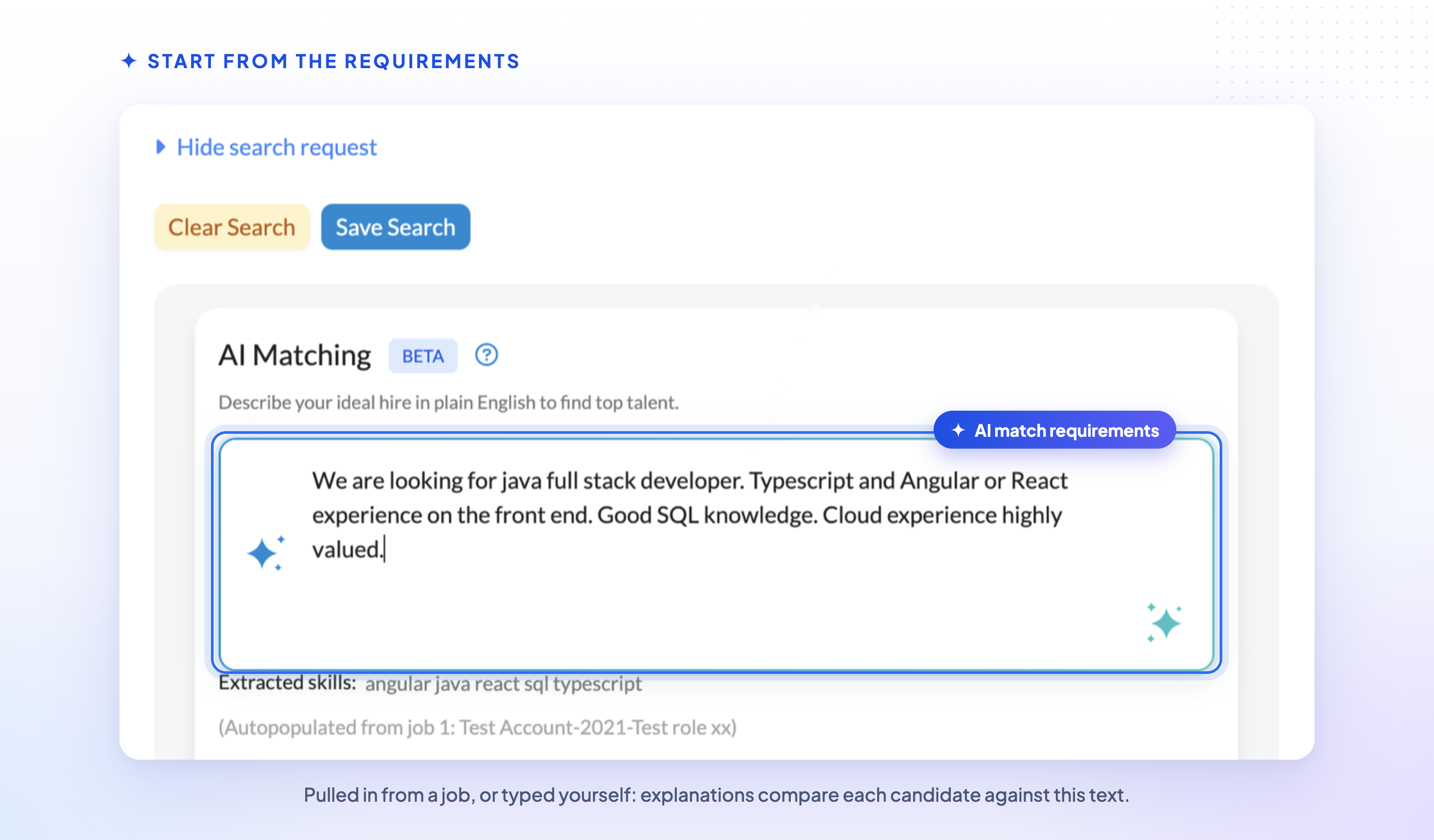
Explanations compare a candidate against the AI match requirements text on the search screen. That might be a job description pulled in from a job (as in the example above), or anything you type yourself describing the experience you’re looking for.
👁️ Show a Match Explanation
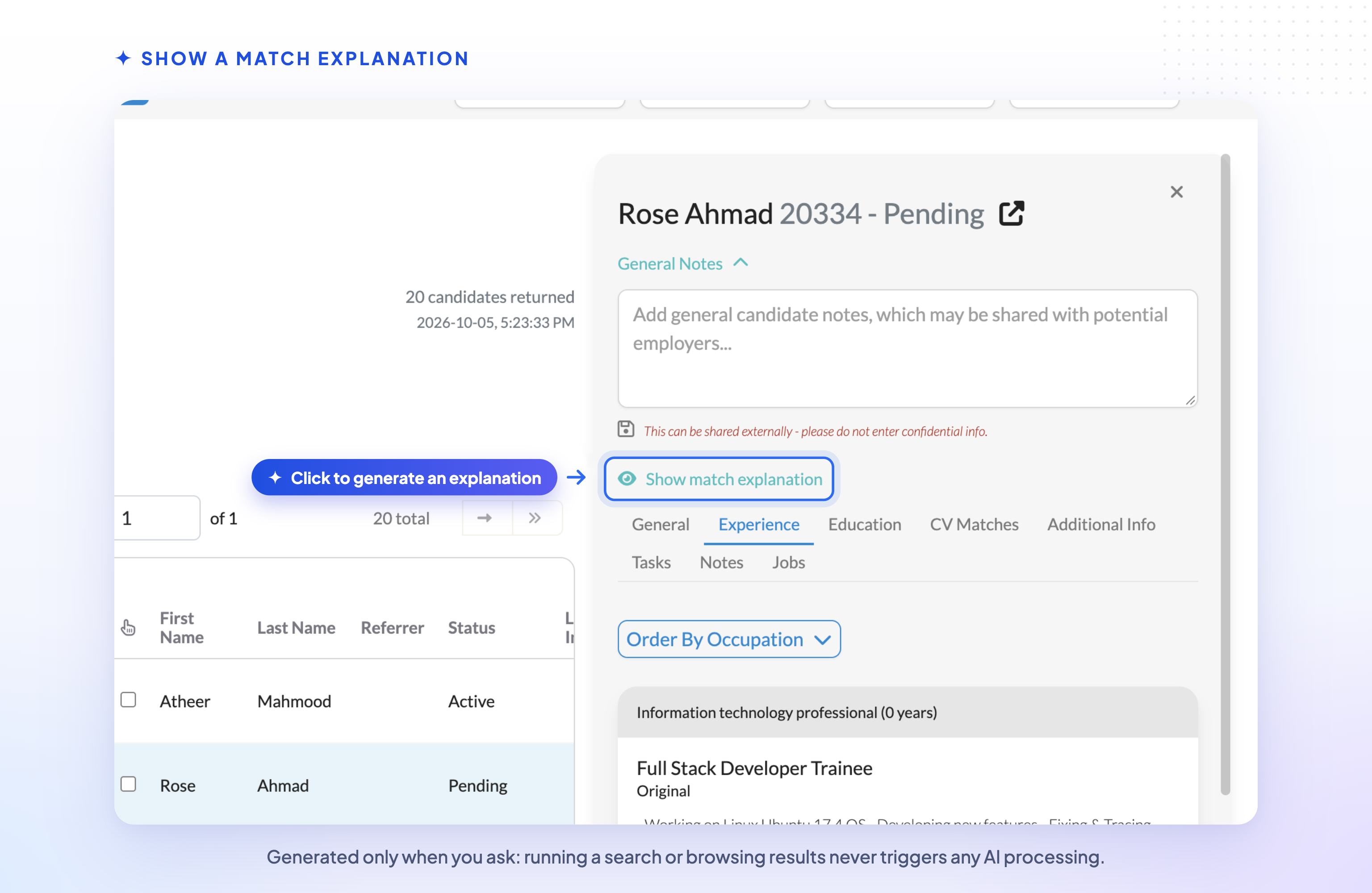
Select a candidate in the search results and click Show match explanation.
Explanations are only generated when you ask for one, so simply running a search or browsing results never triggers any AI processing.
💡 What an Explanation Contains
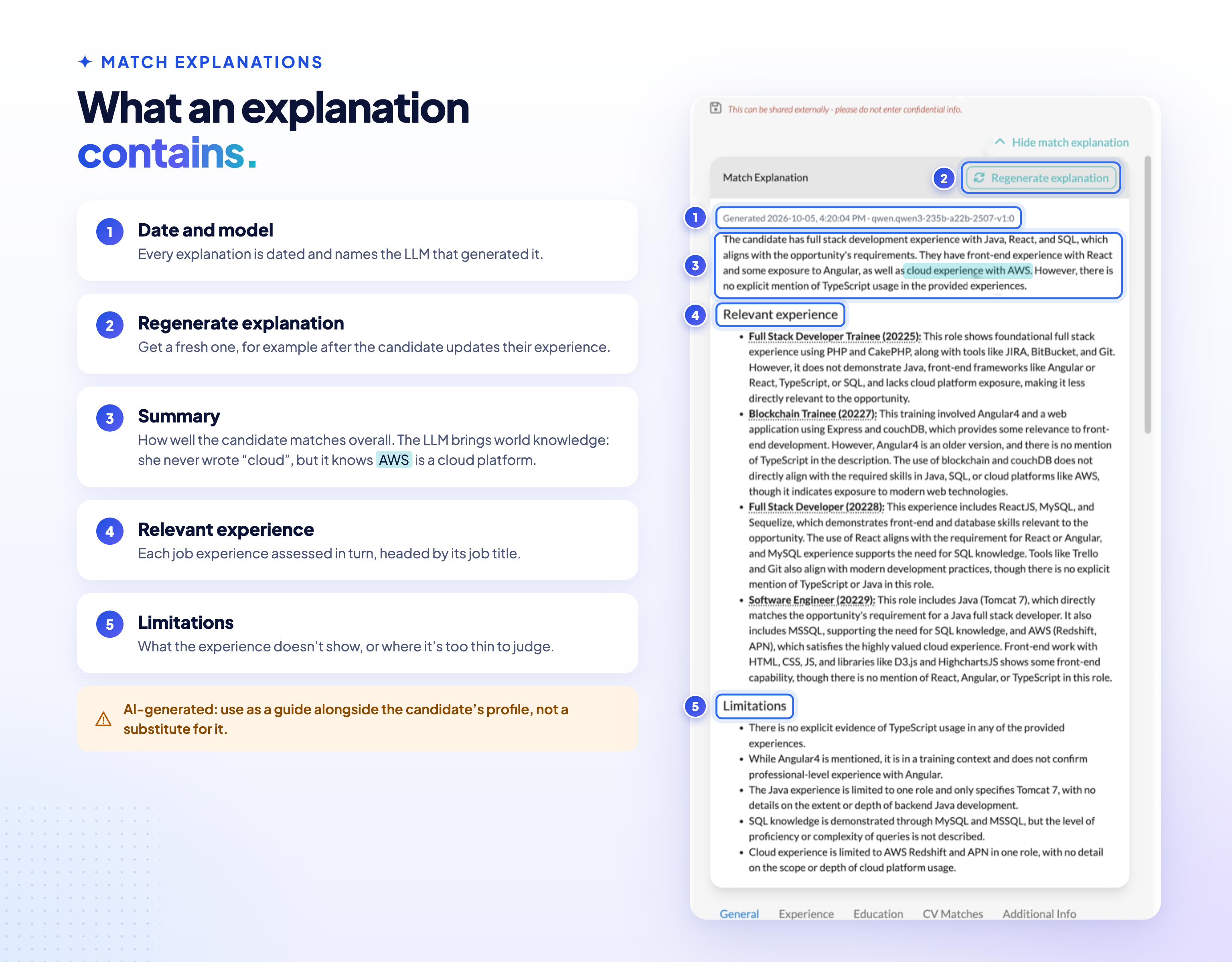
Each explanation includes:
- A summary of how well the candidate matches overall.
- Relevant experience — a separate assessment of each of the candidate’s job experiences, headed by that experience’s job title.
- Limitations — what the candidate’s experience doesn’t show, or where the information is too thin to judge.
Explanations are dated, and show the name of the LLM that generated them (a Qwen model in this case). Click Regenerate explanation to generate a fresh one — for example after the candidate has updated their experience.
Both parts of our hybrid approach bring general world knowledge to the comparison. In this example the candidate never actually mentioned “cloud” experience, but she did mention AWS. The vector embeddings that made the match knew that AWS is a cloud platform, and so did the LLM that explained it. The embeddings find the right candidates quickly across the whole database, and the LLM then explains each match in plain language, so each does the job it’s best at rather than asking an LLM to do everything.
🔎 See the Experience Behind Each Explanation
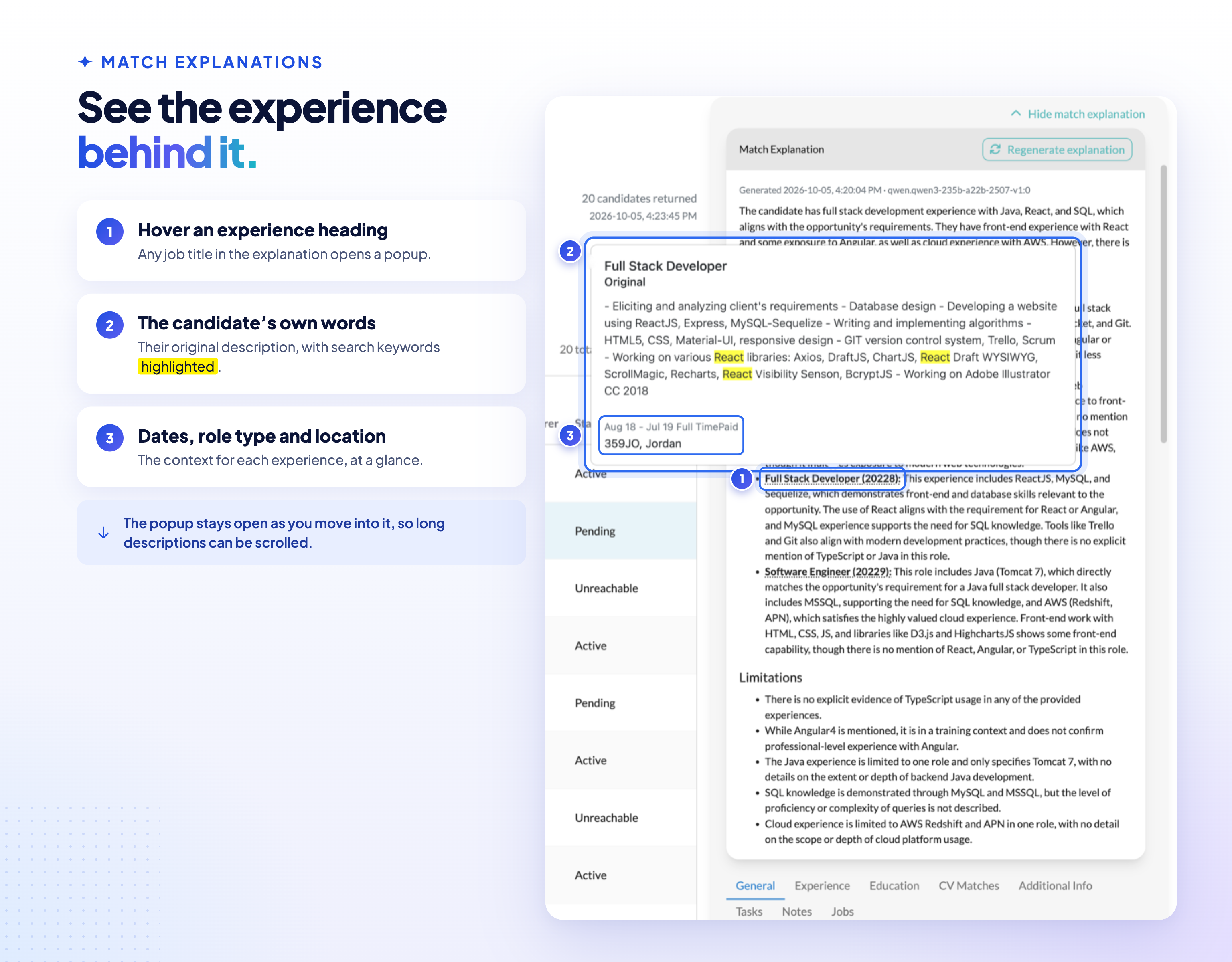
Hover over any experience heading to see the candidate’s own description of that experience, including dates, role type and location, with search keywords highlighted. The popup stays open while you move into it, so long descriptions can be scrolled.
📋 Explanations on Submission Lists
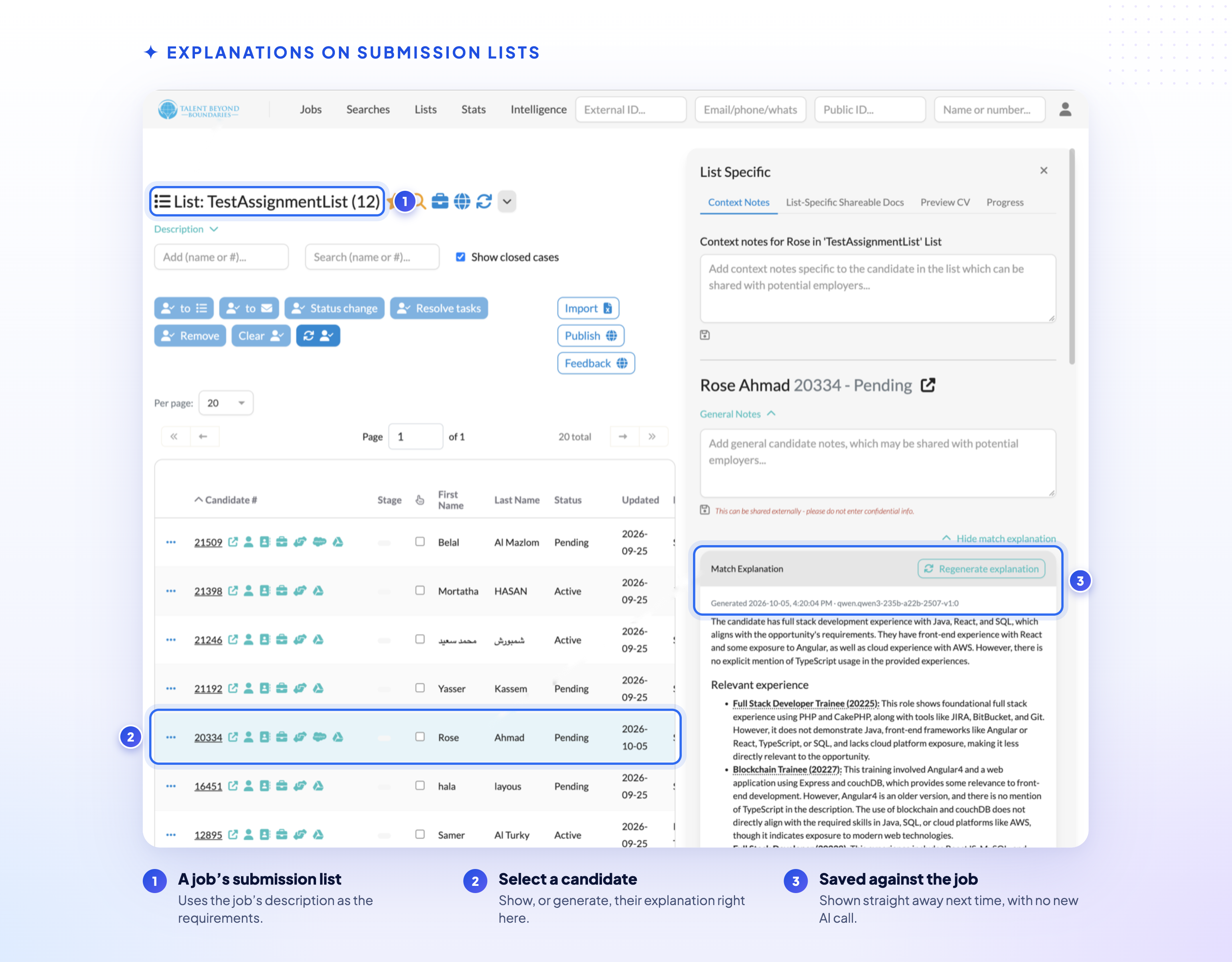
When a search is associated with a job, each candidate’s explanation is saved against that job. Next time anyone shows the explanation for that candidate and job — from a search or from the job’s submission list — the saved explanation is displayed straight away, with no new AI call.
New or updated explanations can also be generated directly from a job’s submission list, using the job’s description as the requirements.
Searches that aren’t associated with a job still show explanations, but these are generated on request and not saved.
🎬 See AI Matching in Action
This three-part video series walks through AI matching in Talent Catalog — start with Part 1 for an overview, then go deeper with Parts 2 and 3.
⚠️ A Word of Caution
Match explanations are generated by AI. They are a quick way to understand a candidate’s fit, but they can misread or overlook information. Use them as a guide alongside the candidate’s profile, not as a substitute for reviewing it.
⚙️ Under the Hood
- Explanations are generated by the Talent Catalog AI service, currently using the open-weight Qwen3 235B model. The cost is roughly 30 explanations per US cent.
- Only the requirements text and the candidate’s job experience (job title and description) are sent to the LLM — not the candidate’s name, contact details or other profile information.
- Saved explanations are stored per candidate and job, recording when they were generated and which model generated them. Regenerating an explanation replaces the saved one.