
Full List Filtering & More
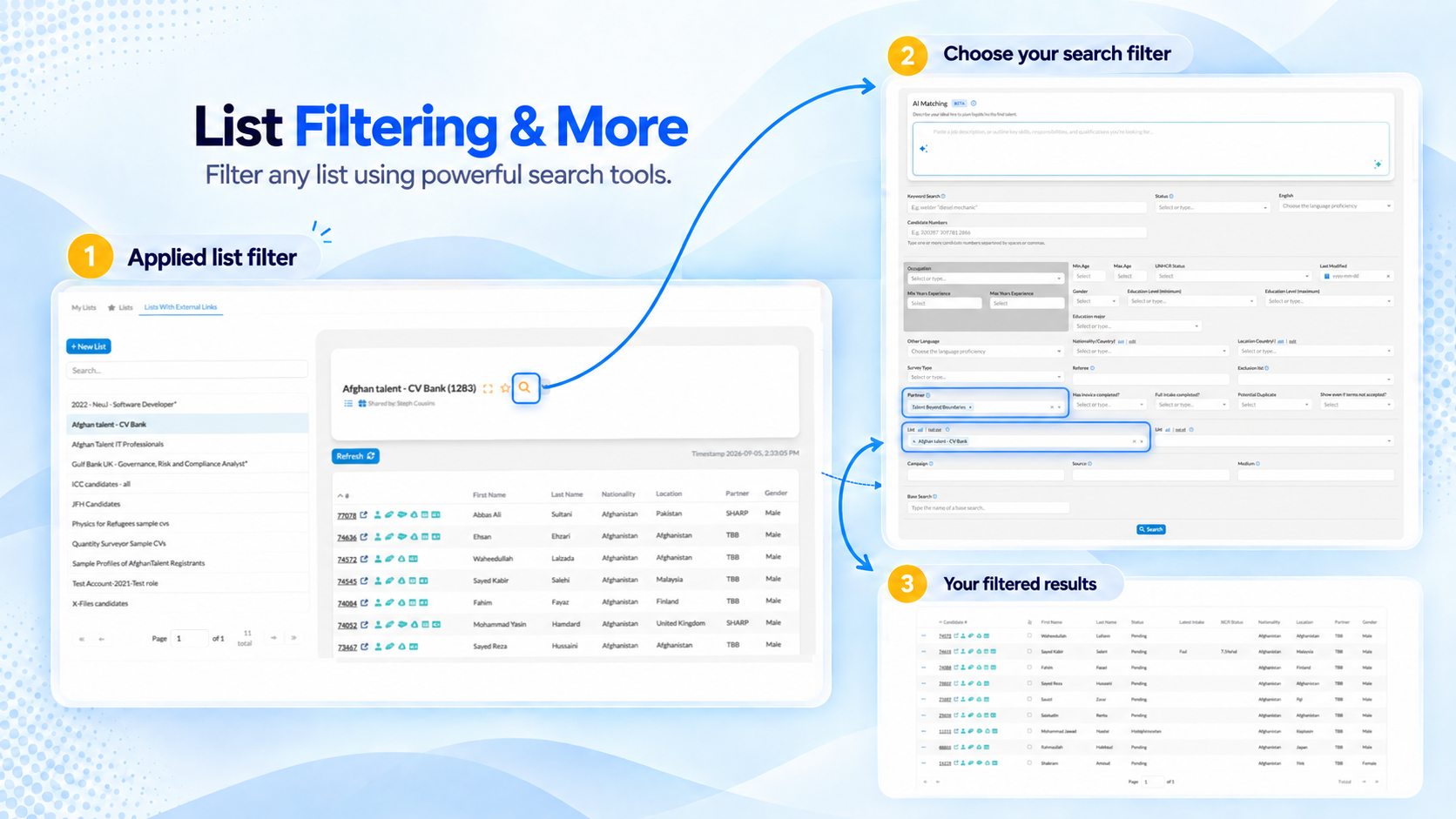
This release bundles three practical improvements: lists that can be filtered instead of scrolled through by hand, clearer and safer controls around deleting a candidate’s record, and a principal occupation field on its way to giving job matching a sharper read on what a candidate is really looking for.
🔎 Filter Any List
Submission lists tied to a hiring commitment can run to hundreds of candidates — one recent cohort case reached 700, against a commitment of 20 hires. Scrolling through a list that size by hand to find the right candidates has never been realistic, and a way to filter within a list was one of the most requested fixes from the users who manage these lists day to day.
Every list now has a search icon next to its name. Clicking it opens the standard search screen, pre-scoped to just that list’s candidates — and from there, the full range of existing search filters is available: keyword search, status, partner, and more, all narrowing down the same list rather than starting a fresh search across the whole database. For job-based lists, this pairs directly with the new AI-powered requirements matching landing this release.
Job-stage and IELTS-score filters weren’t part of this pass — see What’s Next below.
🗑️ Safer, Clearer Candidate Deletion
This builds on full candidate deletion from 2.5.1, tightening permissions and cleaning up a handful of rough edges found since.
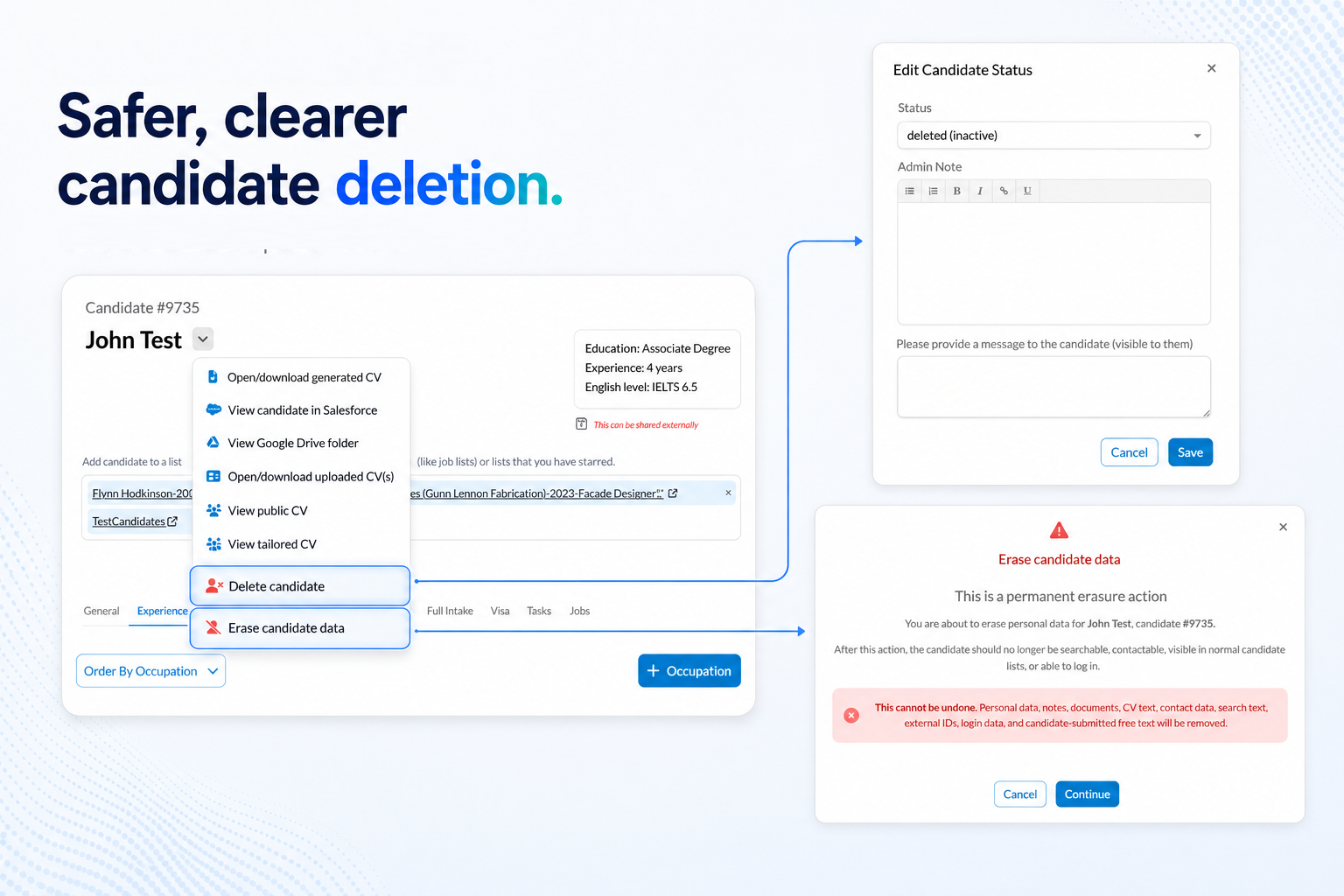
Erase Candidate Data is now correctly restricted to system administrators only. Other admins who can edit a candidate instead see a new Delete candidate action, which simply marks the candidate’s status as deleted — the same reversible, non-destructive option that has always been the preferred first step. It opens through the familiar status-edit screen, which has also been fixed to reliably show a candidate’s current status rather than sometimes appearing blank.
Erase Candidate Data also now stays available once a candidate’s status is already deleted, so system admins aren’t blocked from following through to full erasure. In search, deleted candidates no longer appear when searching by name — previously they could show up in results but couldn’t be opened, which was more confusing than helpful. And searching for a candidate number that doesn’t exist, or one that belongs to a candidate whose data has already been fully erased, now shows a clear explanation instead of a generic access-denied message.
⭐ Principal Occupation
Candidates often have more than one occupation on file — years-old experience alongside what they’re actually pursuing now. Counting every occupation equally can blur the picture: someone’s brief stint as a barista ends up counted the same as eight years as a software developer. This release lets a candidate mark one occupation as their principal one, so there’s a clear, single answer to “what is this person actually looking for?”
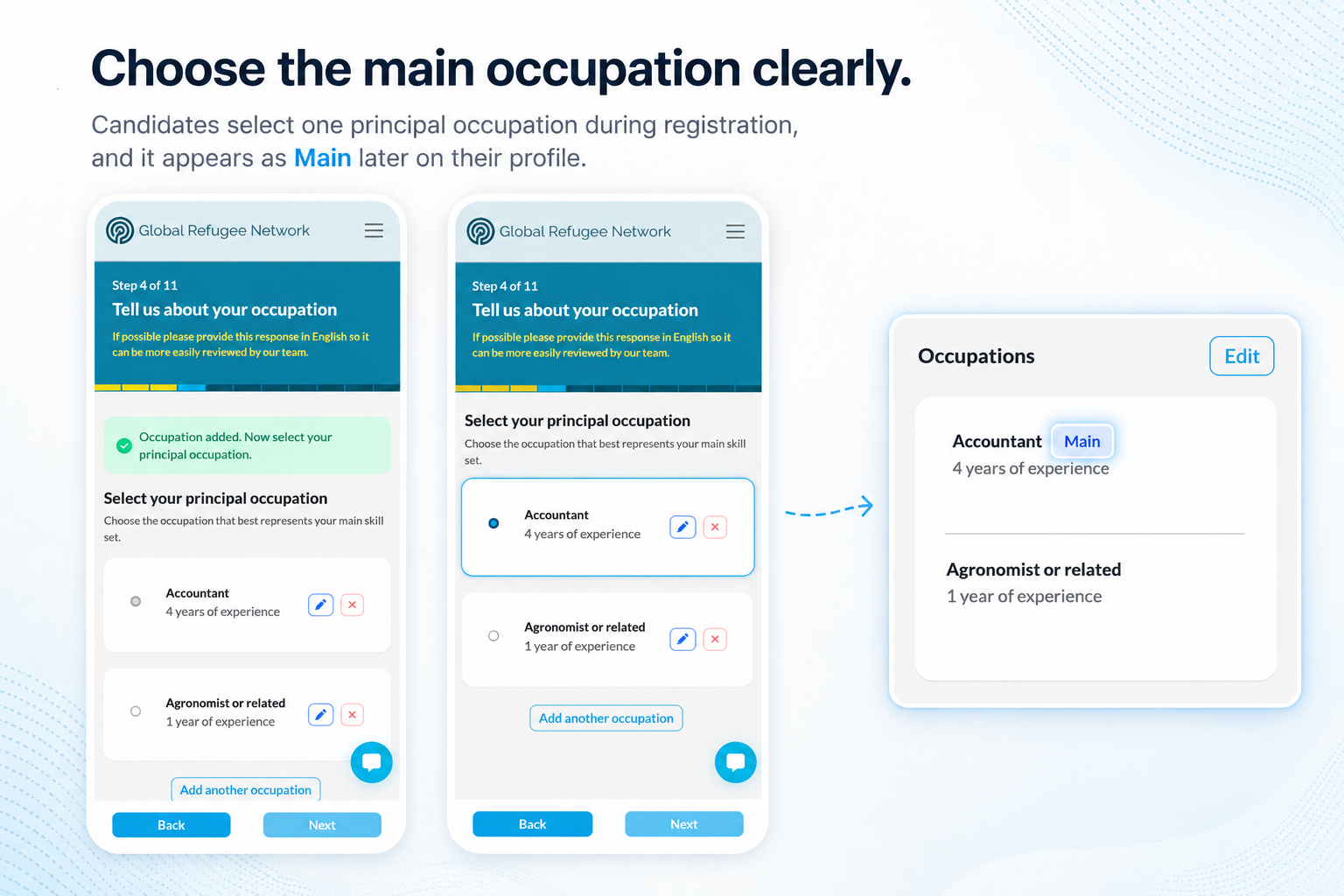
A candidate with multiple occupations on file selects one as their main occupation; selecting a different one replaces the previous choice. Once a candidate has any occupations recorded, choosing a principal one is required — the choice can be updated at any time.
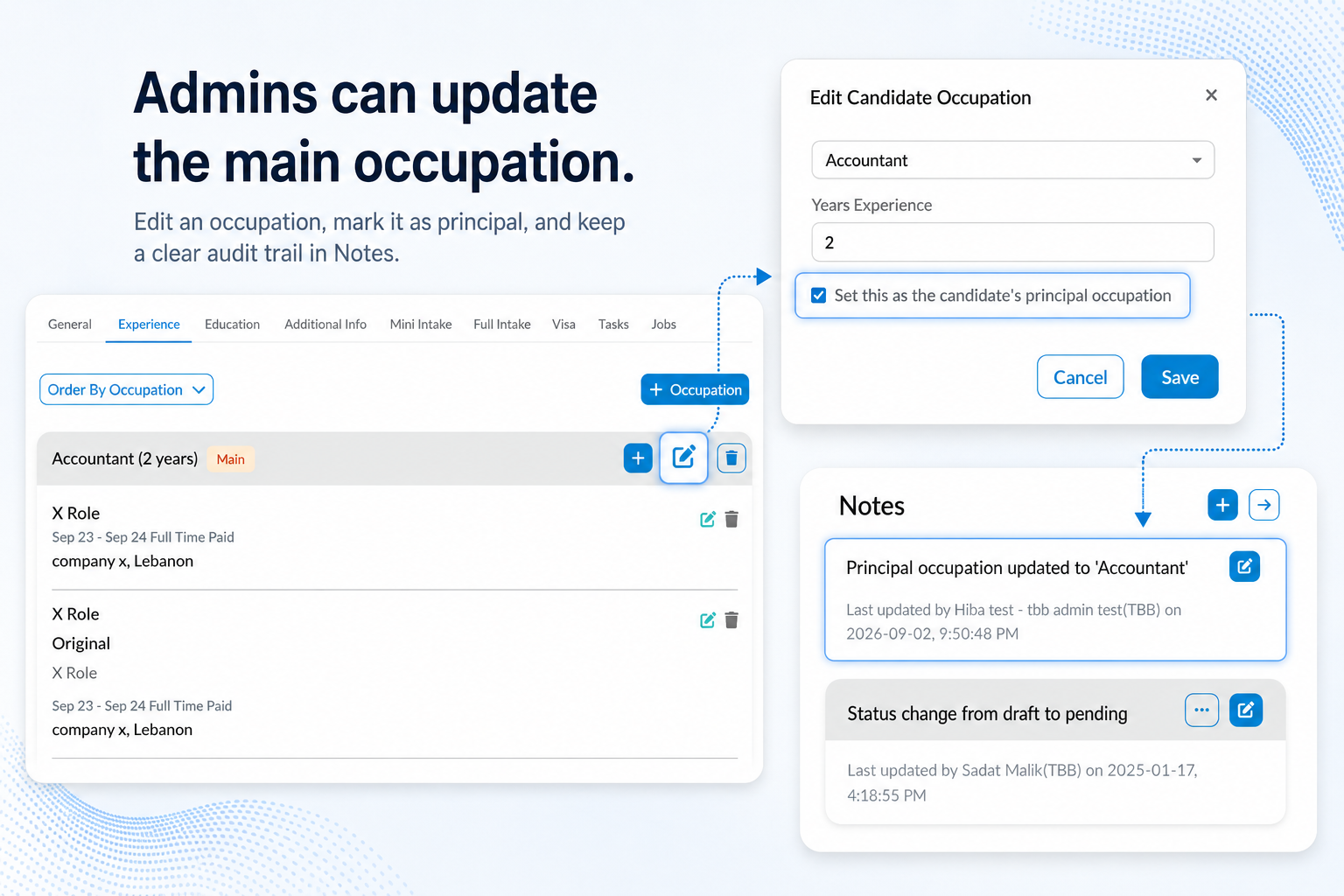
The principal occupation is shown clearly on a candidate’s profile in the admin portal, so staff no longer have to guess which of several occupations actually matters most. Admins can change which occupation is marked as principal — though not clear it back to none — and doing so leaves a note on the candidate’s record, so there’s a visible trail of who changed it and when.
🚀 What’s Next
- Job-stage and IELTS-score filters for submission lists — the two most-requested filter fields not covered in this pass.
- Continued tightening of candidate deletion and search based on real admin usage.
- A clearer principal occupation is expected to feed into better job-matching quality over time, alongside the AI job matching work landing this release.